Analytics integration

Run A/B tests with PostHog data: Optibase + PostHog integration

Optibase tags every variant element on your page with a clear data attribute. Configure a PostHog Action against that attribute and your A/B test fires as a PostHog event automatically, ready to use in Insights, Funnels, Trends, or Recordings.
No code, no API keys. PostHog detects Optibase elements via HTML Selector Match.
Marketers ship tests, engineering keeps PostHog. No PostHog feature flags, no engineering setup.
Pairs with everything PostHog already does. Analyze test winners alongside session recordings, funnels, and feature flags.
Header image
Join 3000+ companies already testing with Optibase
About PostHog

What is PostHog?

PostHog is an open-source product analytics platform with experiments, feature flags, session recordings, surveys, and a data warehouse, all in one product. Loved by engineering and product teams that want a single place for events, funnels, and product insights.
PostHog has its own A/B testing feature, built around feature flags and aimed at engineers. That works well for product-side experiments where the change is server-rendered or wrapped in a flag. It works less well for marketing pages where the people writing the test are not the people writing the code. That is where Optibase fits in.
Why this integration

Why connect Optibase to PostHog

No flicker icon

Marketing teams ship tests without engineering

PostHog experiments require feature flag setup, code branching, and an engineer to wire it all up. Optibase is no-code. Marketing teams test pricing pages, headlines, and CTAs the same day they think of the test, while PostHog stays focused on product-side experiments where flags belong.

All your test data already lives in PostHog

Optibase test conversions land as native PostHog events the moment they fire. Open the funnels, trends, and retention charts your team already uses. The data is there, and you can break it down by Optibase test ID and variant ID with no new dashboards to build.
User recordings icon

Use PostHog Recordings to debug a losing variant

When a variant loses, PostHog's session recordings show you why. Filter recordings to users who saw the losing variant, watch where they hesitated, and your next test idea is half-written. Pairing Optibase with PostHog turns "we lost the test" into "here's exactly why".
Use cases

What you can run with Optibase + PostHog

A/B testing icon

Pricing page test, activation funnel impact

Run an Optibase test on your pricing page. Once a user clicks through, PostHog Actions log the click as an event tied to the variant. Open your existing trial-to-active funnel in PostHog, break it down by Optibase variant, and you see which pricing layout produces users who actually use the product.
User recordings icon

Marketing headline test, recordings of the losing variant

Run a homepage hero test in Optibase. In PostHog, filter session recordings to users who saw the losing variant. Watch the recordings, see where they bounced or stalled, and write your next test based on what you actually saw rather than what you guessed.

CTA copy test, conversion event in PostHog

Tag a CTA with an Optibase data attribute. In PostHog, create an Action that fires when that attribute is clicked. Now every existing PostHog dashboard counts the click as a conversion event, with the variant attached. No new event taxonomy needed.
Conversion tracking icon

Marketing-page test alongside a PostHog feature flag experiment

Run a marketing-side test in Optibase while engineering runs a product-side experiment via PostHog feature flags. Both data sources live in PostHog. Your team can answer "did the new pricing message work for users in the new onboarding flow?" by overlaying both experiments in one chart.
Setup

How to set up the PostHog integration

The integration uses PostHog's existing HTML Selector Match feature in Actions. There is no API key, no Optibase-side connection. PostHog detects Optibase data attributes on the page and treats matching elements as events.

Identify the Optibase data attribute on your conversion element

In Optibase, every conversion gets a unique data attribute, for example data-optibase-conversion="get-started". You will use this attribute as the selector inside PostHog.

Create a new Action in PostHog

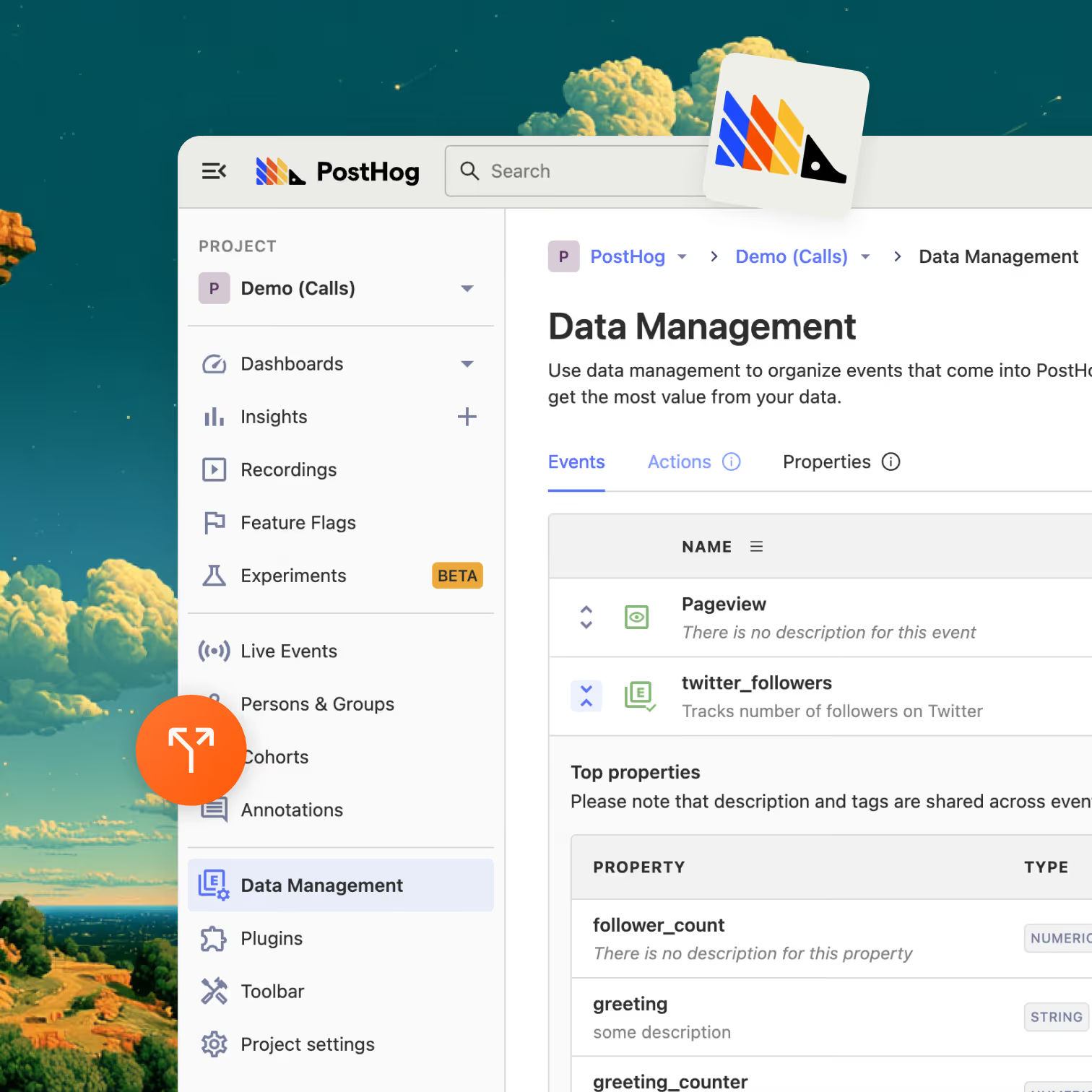
In your PostHog dashboard, go to Data Management → Actions → New action. Name the Action after your conversion (for example, "Get started clicked").

Use HTML Selector Match against the Optibase attribute

In the Action setup, choose "HTML Selector Match" and paste the Optibase data attribute. PostHog will now register every click on that element as an event of this Action.

Verify and use the Action in any PostHog Insight

Visit the page in your browser, trigger the conversion, and check both Optibase and PostHog to confirm the event fired in both places. From here, the Action is available in any Insight, Funnel, or Trend in PostHog, including breakdowns by Optibase test ID and variant ID.
What syncs

What gets sent to PostHog

Field

Direction

Frequency

How

Conversion clicks (data attributes)

Page → PostHog

On user click

PostHog HTML Selector Match Action

Variant exposure (data attributes)

Page → PostHog

On user click on variant element

PostHog Action against Optibase variant attribute

PostHog data → Optibase

n/a

n/a

The integration is one-way

FieldDirectionFrequencyHow
Conversion clicks (data attributes) Page → PostHog On user click PostHog HTML Selector Match Action
Variant exposure (data attributes) Page → PostHog On user click on variant element PostHog Action against Optibase variant attribute
PostHog data → Optibase Not applicable n/a The integration is one-way

The data flows are PostHog-side. Optibase puts the right attributes on the page, PostHog reads them. Once the Actions are set up, every PostHog Insight, Funnel, Retention chart, and Recording filter can be sliced by the Optibase event.

Browse integrations

Optibase integrates with the rest of your stack

Google Analytics 4

The Google Optimize replacement. Variant exposure lands in GA4 as an event parameter, native or via GTM. Build variant-aware audiences for Google Ads remarketing.

Learn more

Mixpanel

Auto-detected. Variant exposure lands as a Mixpanel event with variantId and testId. Works in any Insight, Funnel, Retention, or Cohort.

Learn more

Amplitude

Variant assignment events flow into Amplitude. Skip the Amplitude Experiment seat. Analyze in your existing Amplitude dashboards.

Learn more

BigQuery

Service-account auth, batch export of variant assignments, conversions, visitor IDs, and timestamps. Joinable with the GA4 BigQuery export, Stripe revenue, and any other warehouse data.

Learn more

Stripe

Server-to-server attribution that survives Stripe Checkout's domain change. Pass the Optibase user ID via client_reference_id, fire conversions from your webhook, see revenue per variant on every test.

Learn more

Google Tag Manager

Trigger Optibase conversions from any GTM event with optibaseSendConversionEvent('your-conversion-id'). Push variant data into the dataLayer for every other tag to consume.

Learn more

MCP Server

Hosted Model Context Protocol server at https://my.optibase.io/api/mcp. Read tests, conversions, heatmaps, and traffic from Claude Desktop, Cursor, or any MCP-compatible client.

Learn more

Custom API

Active Variants API in the browser. Conversion endpoint for server-to-server events. External user IDs. Reverse-ETL flows.

Learn more
FAQ

Frequently asked questions about the PostHog integration

How do I A/B test in PostHog with Optibase?
PostHog has its own experimentation built around feature flags, which works well for engineering-led product tests. For marketing-page tests, Optibase runs the test no-code and PostHog records the conversion as a native Action. Configure a PostHog Action that uses HTML Selector Match against the Optibase data attribute on your conversion element. From there, every PostHog Insight, Funnel, or Trend can be segmented by the Optibase test and variant.
Do I need PostHog feature flags configured to use this?
No. PostHog feature flags are PostHog's own A/B testing path and require engineering setup. The Optibase + PostHog integration uses PostHog Actions instead, which do not need flags or code. You configure the Action once in PostHog and Optibase test traffic flows in automatically.
Can my engineering team keep using PostHog experiments alongside Optibase?
Yes. PostHog experiments and Optibase tests are independent. PostHog experiments stay scoped to engineering-led, flag-based tests. Optibase handles marketing-page tests like pricing pages, headlines, and CTAs. Both data sets land in PostHog, so you can analyze them side by side.
Does this work with PostHog Cloud and self-hosted PostHog?
Yes. The integration relies on PostHog's Action and HTML Selector Match features, which exist in both PostHog Cloud (US, EU) and self-hosted installations. There is no separate setup for either.
What gets sent from Optibase to PostHog?
Nothing is sent server-to-server. Optibase places data attributes (like data-optibase-conversion="get-started") on the page elements involved in your test. PostHog's existing tracking script reads those attributes when a user interacts with the element, then logs the event natively in PostHog. The integration is page-side, not API-side.
Do I need a developer to set this up?
No. The setup happens entirely inside the PostHog dashboard. A marketer can paste the Optibase data attribute into a PostHog HTML Selector Match Action in a few minutes.
Is the PostHog integration available on every Optibase plan?
Yes. Every Optibase integration, including PostHog, is available on every plan, including the free tier. There is no upgrade or paid feature gate.