Personalization

Personalization that drives better conversions

Generic pages convert less. Optibase helps you tailor content to each visitor using simple rules, so users see messages that match their needs and are more likely to take action.
More relevant pages: Visitors see content that fits them.
Higher conversion rates: Personalized experiences perform better.
Scales with you: From simple to advanced use cases.
Header image
Join 1800+ companies already testing with Optibase
Personalization in practice

Show the right content to each user

Personalization works best when it’s practical and easy to apply. Optibase lets you tailor content for different audiences without complex logic, so visitors see messages that feel relevant instead of generic.

Audience-based content

Show different content based on location, device, traffic source, or visitor type, so each user sees what fits them best.

Personalize key page elements

Change headlines, CTAs, sections, or offers for different audiences without creating separate pages or layouts.

Works across your site

Apply personalization to landing pages, funnels, and flows using the same simple setup wherever it matters.
Simple rules

Personalization without complexity

Personalization should be easy to manage, not fragile or hard to control. Optibase uses clear rules you can understand and change at any time, so you stay in control without relying on developers or risky deployments.

Clear rule-based logic

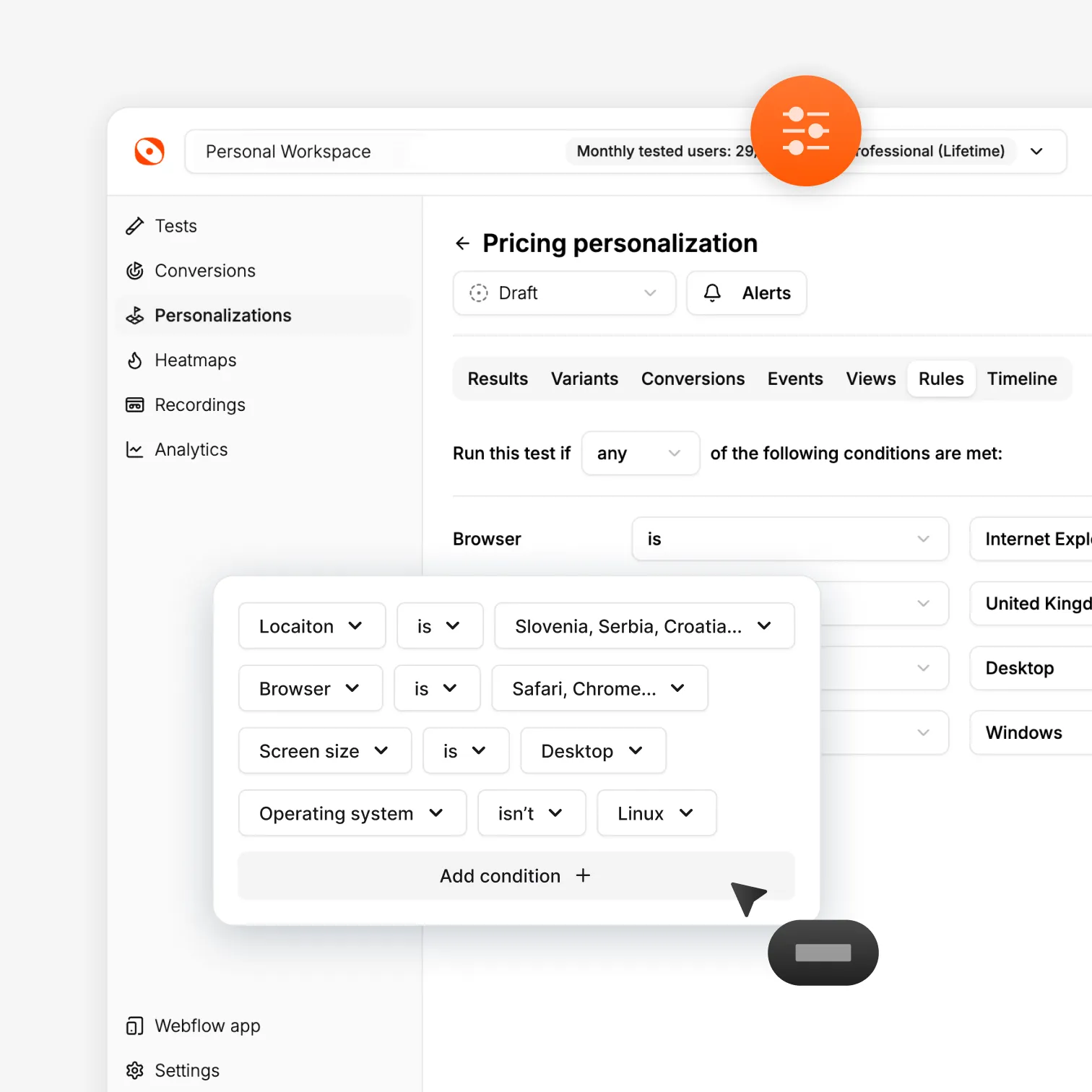
Create personalization rules using simple conditions. No complex logic trees or hard-to-maintain setups.

Easy to update or pause

Change, disable, or adjust personalization anytime. Updates go live fast without breaking pages.

No developer dependency

Marketers can manage personalization on their own, without code reviews or engineering support.
Performance and results

Personalization without performance risk

Optibase analytics works alongside the tools you already use. Keep Optibase as your source of truth for experiments, while sending results to your existing analytics, reporting, and CRM tools without friction.

No flicker or slowdown

Personalized content loads instantly. Visitors see the right version right away without flashes or layout shifts.

Measure results per audience

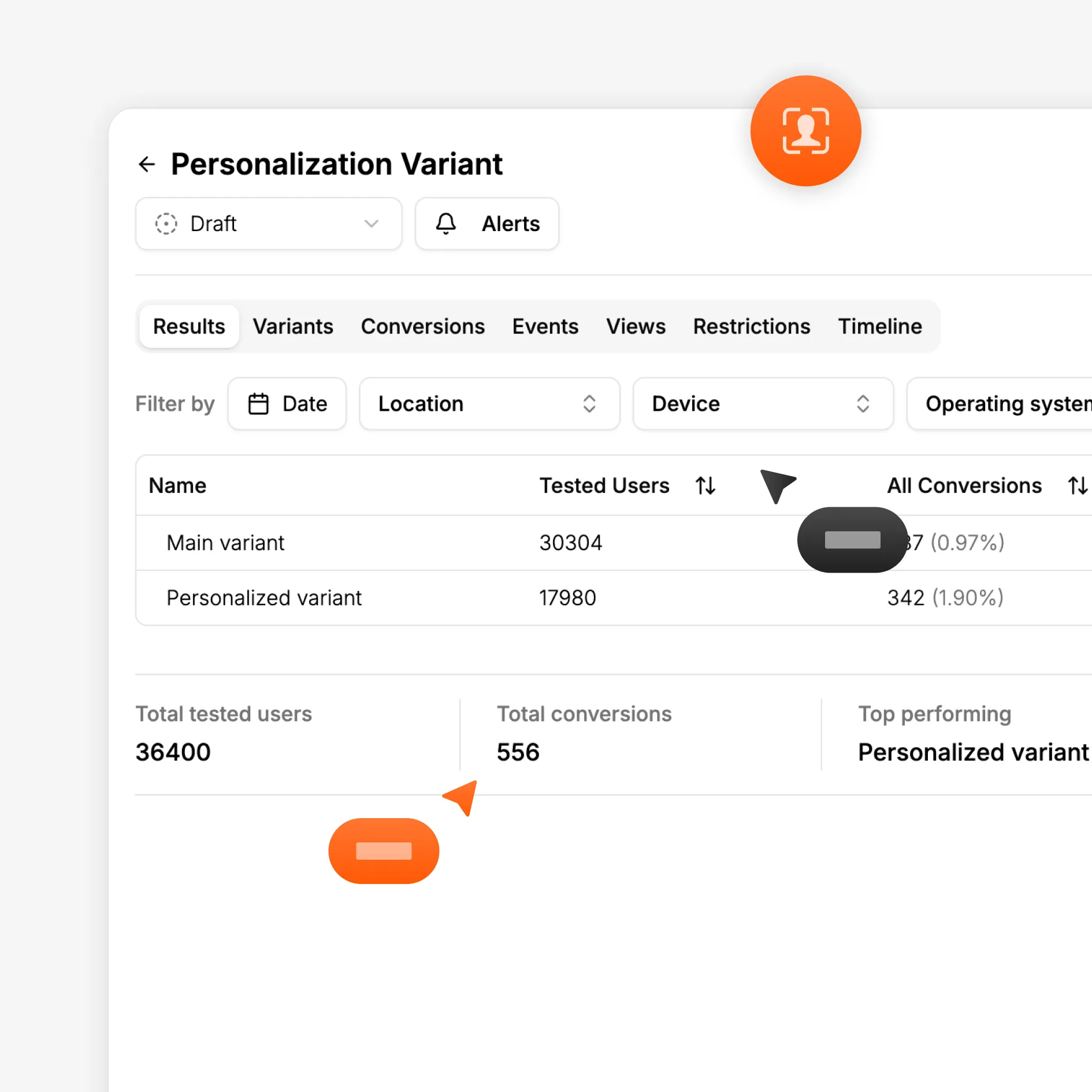
See how each audience segment performs. Track conversions and understand which personalization rules drive results.

Works with testing and analytics

Combine personalization with A/B testing and analytics to validate impact and improve continuously.
How it works

Set up personalization in minutes

Optibase makes personalization easy and safe. Create rules, connect variants, measure results, and improve experiences without complex setup or developer work.

Install Optibase

Install Optibase using the Webflow App or by adding one lightweight script to your site. This enables personalization, testing, and analytics across all pages without extra setup. You only need to install it once, and it works in the background without slowing down your site or affecting SEO.

Create a personalization rule

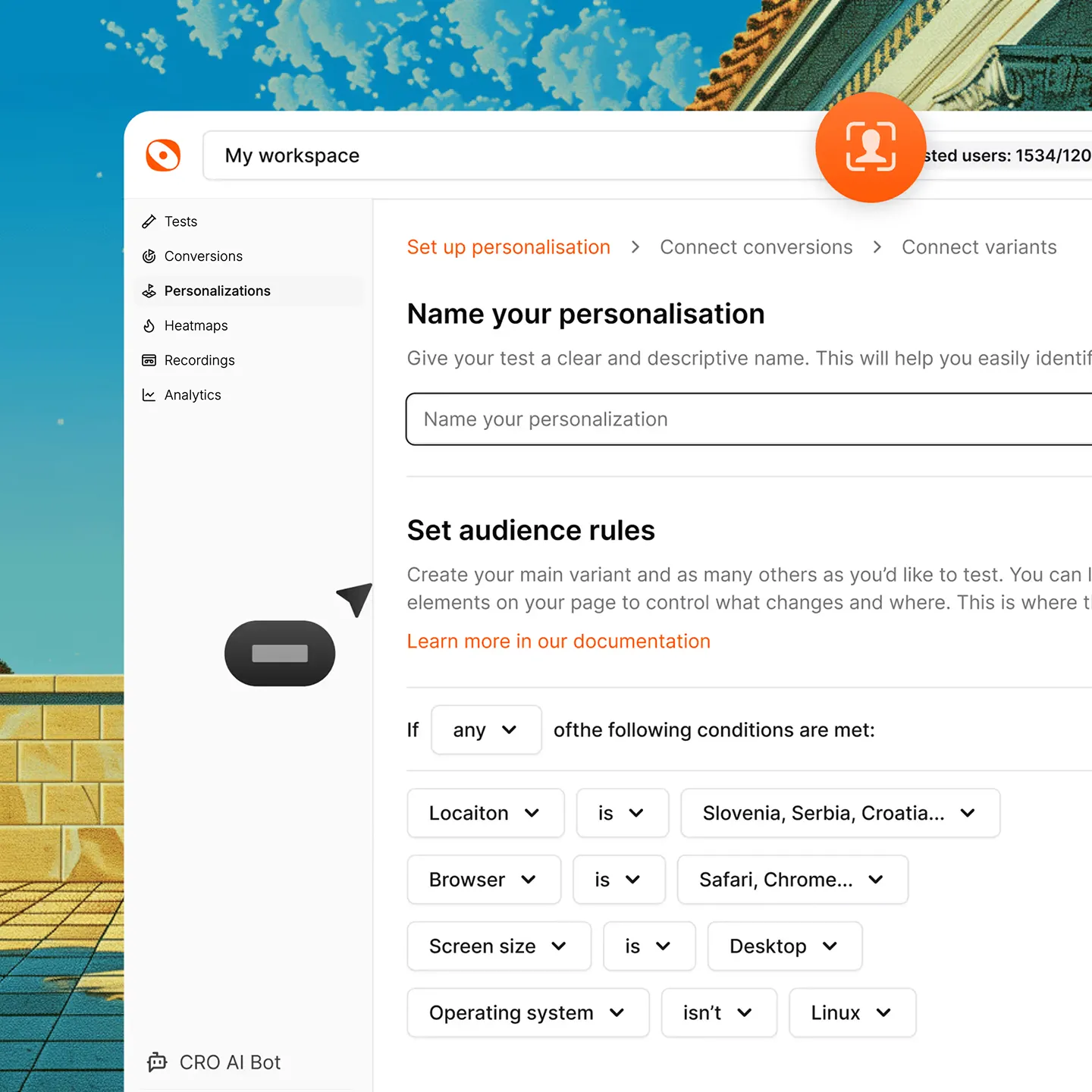
Create a personalization rule inside Optibase to define what should change on your page. Choose the element you want to personalize, such as a headline, CTA, or section. Each rule controls how content behaves for different audiences, without creating duplicate pages or complex setups.

Set your conversions

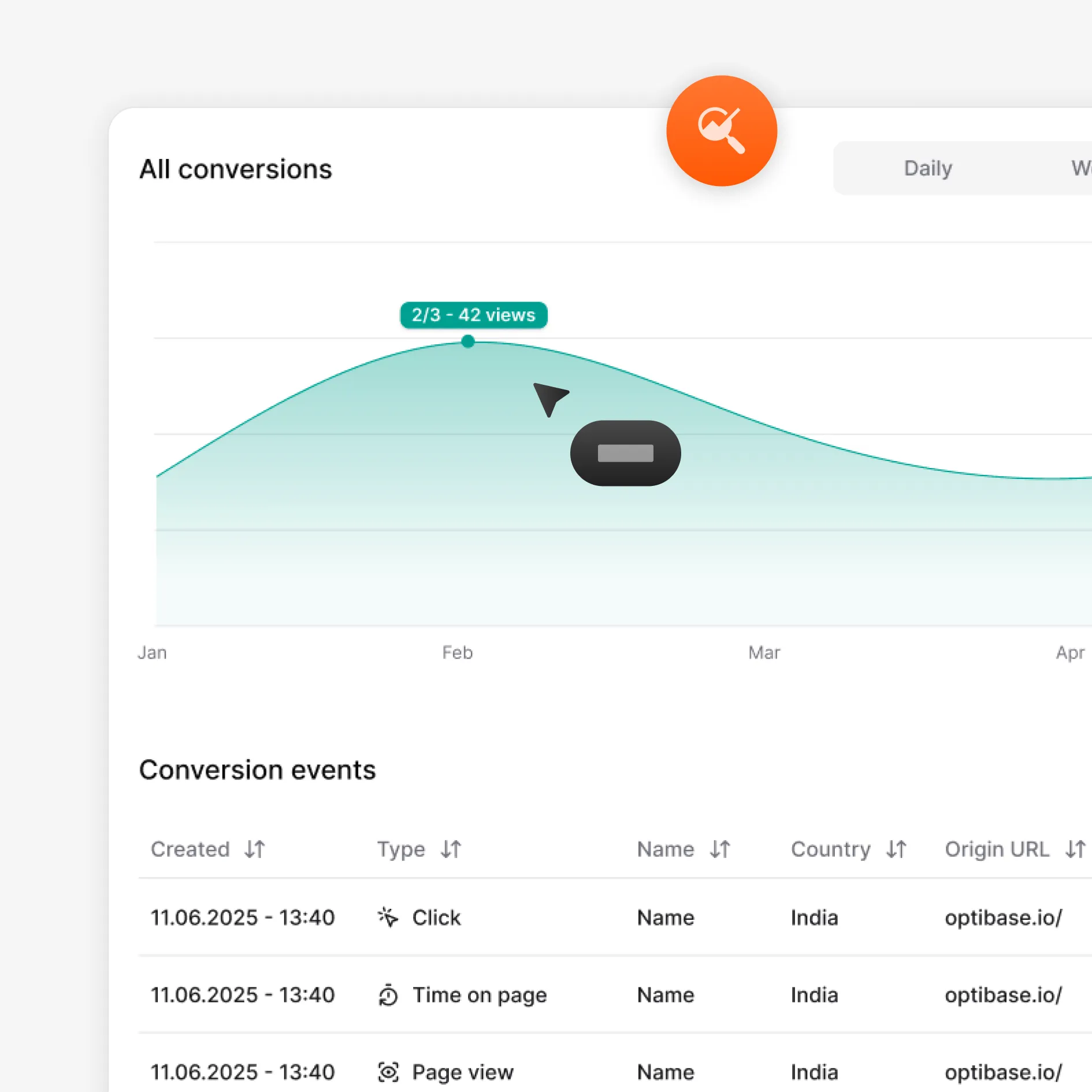
Define how you will measure success for your personalization. Choose conversions like clicks, form submits, page views, scroll depth, time on page, or custom events. These conversions let you measure how each personalized experience performs, using the same tracking system you use for testing and analytics.

Connect your variants

Link each personalization variant to the rule you created. Variants can be different versions of text, visuals, or sections on the same page. Once connected, Optibase knows which content to show to each audience, without redirects, page reloads, or separate URLs.

Run your personalization

Turn your personalization on with one click. Optibase delivers the right content to each audience instantly, without flicker or performance issues. You can pause or update rules at any time, giving you full control while personalized experiences run safely across your site.

Analyze results

Review how each personalized experience performs across your conversion goals. See which audiences respond best and which variations drive better results. Use analytics and testing insights to refine your rules, validate impact, and improve personalization over time with confidence.
Built for growth

More than just testing

AI traffic split

AI helps send more visitors to the version that works better, so your test reaches a clear winner faster without extra work.

Auto-stop tests

Set rules and let Optibase stop the test for you. When a version wins or a goal is reached, the test ends and you get clear results.

Audience segmentation

By segmenting your audience based on their geolocation, browser, OS and screen size, you can limit who is exposed to your tests.

Personalization

Show different content based on who visits your site. Tailor pages by audience, behavior, or context to improve relevance and conversions.

Heatmaps

See where users click, scroll, and focus. Heatmaps help you understand behavior so you know what to test and what to improve next.

User recordings

Watch real sessions to see how people use your site. Spot friction, confusion, and missed clicks that numbers alone can’t show.
FAQ

Frequently asked questions

What is website personalization?
Website personalization is the practice of showing different content to different visitors based on who they are or how they behave. This can include changing headlines, messages, or offers for specific audiences. Personalization helps make your site more relevant, which can lead to better engagement and higher conversions.
What can I personalize on my website?
You can personalize many parts of your website with Optibase. This includes headlines, text, buttons, images, sections, and offers. You can tailor content on landing pages, funnels, and key flows so different audiences see messages that fit their needs and intent.
Does personalization affect site speed or SEO?
No. Personalization with Optibase does not slow down your site or affect SEO. Content is delivered without flicker or layout shifts, and pages load normally for visitors and search engines. Personalization runs safely in the background, so performance and rankings stay protected.
Can I combine personalization with A/B testing?
Yes. You can combine personalization with A/B testing in Optibase. This lets you test different versions of personalized content and see what works best for each audience. By testing and personalizing together, you can improve results with confidence instead of relying on guesses.
How does personalization work in Optibase?
Personalization in Optibase works by using simple rules to show different content to different audiences. You choose what should change on your page, define who should see each version, and turn the rule on. Optibase delivers the right content instantly without slowing down your site or affecting SEO.
Do I need a developer to use personalization?
No. You do not need a developer to use personalization with Optibase. You create and manage personalization rules without writing code. Marketers can control what content changes, who sees it, and when it runs, without relying on engineering help.
How do I measure if personalization works?
You measure personalization by tracking conversions and performance per audience. Optibase shows how each personalized experience performs based on your goals, such as clicks or form submits. This helps you see which rules work best and improve personalization using real data.
What audiences can I target with personalization?
You can target audiences based on attributes like location, device type, screen size, browser, traffic source, or visitor type. This lets you show different content to different groups, such as new visitors, mobile users, or users coming from paid campaigns, without creating separate pages.