Analytics

Analytics built for testing decisions

Optibase analytics focuses on clarity, not noise. See exactly how each variant performs across A/B, split, and multivariate tests, so you can make decisions without digging through complex dashboards.
Focused metrics: Only the data that matters for testing.
Easy to read: Clear charts anyone can understand.
Works with your tools: Send data to GA4, Mixpanel, HubSpot.
Header image
Join 1800+ companies already testing with Optibase
Test-focused analytics

Analytics built for experiments

Optibase analytics is designed to compare variants clearly, highlight winners, and remove noise, so you can make confident decisions without digging through complex reports.

Built for A/B and split tests

Compare variants across A/B, split URL, and multivariate tests with fair, consistent analytics and no manual setup.

Clear winners, not raw data

See which version performs best without guessing. Results are easy to read and focused on outcomes, not vanity metrics.

One view for every test

All experiment results live in one place. You do not need to jump between tools to understand what is working.
Reliable results

Clear results you can trust

Analytics only help if the data is reliable. Optibase keeps results consistent across variants and tests, so you can trust what you see and act without second guessing numbers or setup.

Consistent measurement

Every variant is measured using the same goals and rules, so results stay fair and easy to compare.

No confusing metrics

Focus on outcomes that matter. Optibase removes noise so you see real performance, not vanity numbers.

Confidence built in

Clear visuals and stable data help teams agree on results and move forward faster.
Works with your tools

Fits into your analytics stack

Optibase analytics works alongside the tools you already use. Keep Optibase as your source of truth for experiments, while sending results to your existing analytics, reporting, and CRM tools without friction.

Send data to your tools

Push analytics data to GA4, Mixpanel, HubSpot, or other tools so your test results live where your team already works.

Use Optibase or export freely

View results inside Optibase or export them to other platforms. You stay in control of how and where data is used.

API for custom workflows

Use the Open API to send results anywhere you need. Build custom dashboards or connect analytics to internal systems.
How it works

Set up conversion tracking in minutes

There are a few steps to go through if you want to start tracking your conversions in Webflow. Not following them could impact the efficiency of your test results by lacking data from your website.

Install Optibase

Install Optibase using the Webflow App or by adding one lightweight script to your site. This enables analytics automatically across all pages, including basic traffic insights and audience breakdowns. You only need to install it once to start collecting both baseline analytics and experiment data without extra setup.

Set up conversions

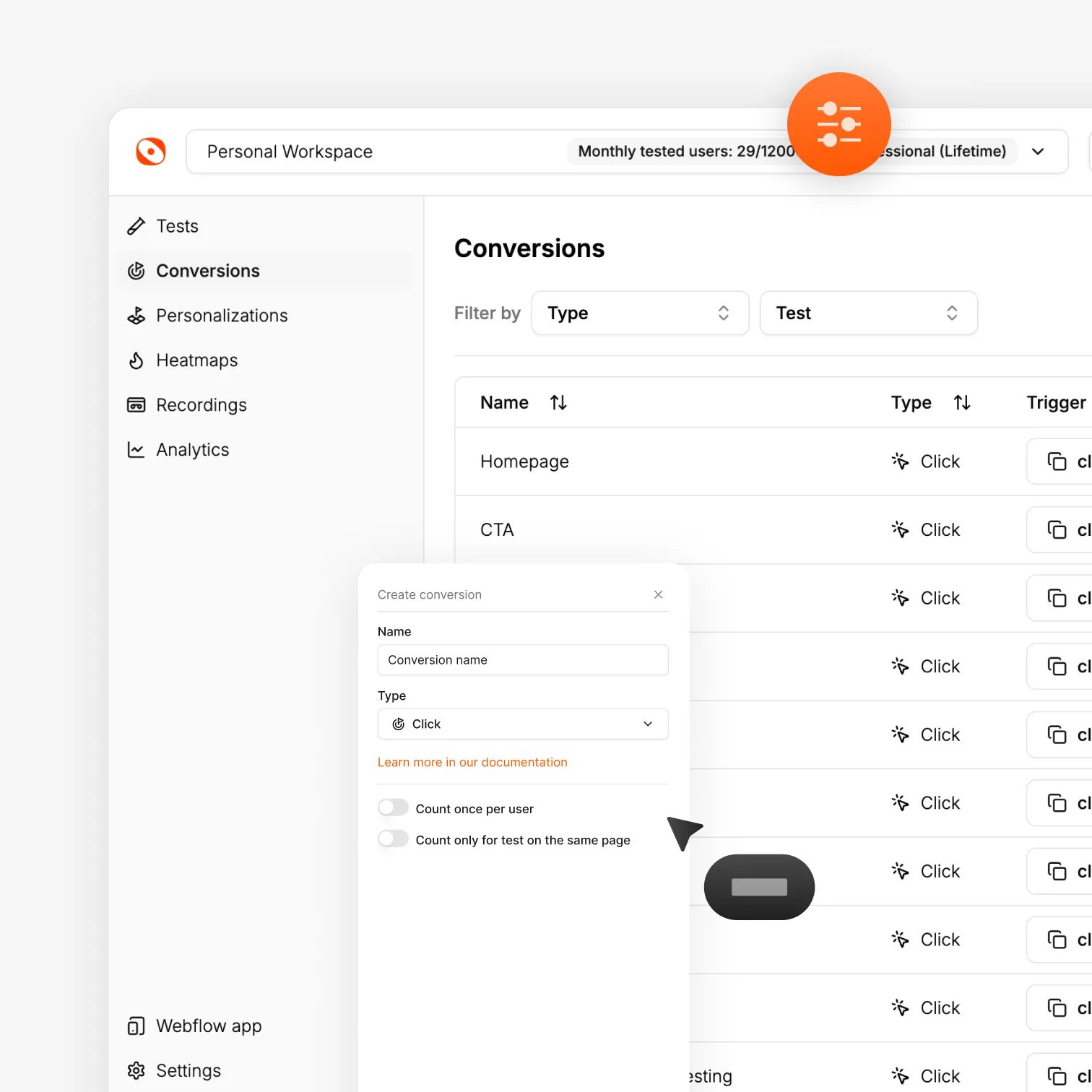
Create conversion goals to define what success means for your site or tests. Track actions like clicks, form submits, page views, scroll depth, time on page, or custom events. These conversions power analytics across experiments and help you measure performance consistently without setting up separate tracking systems.

Run experiments

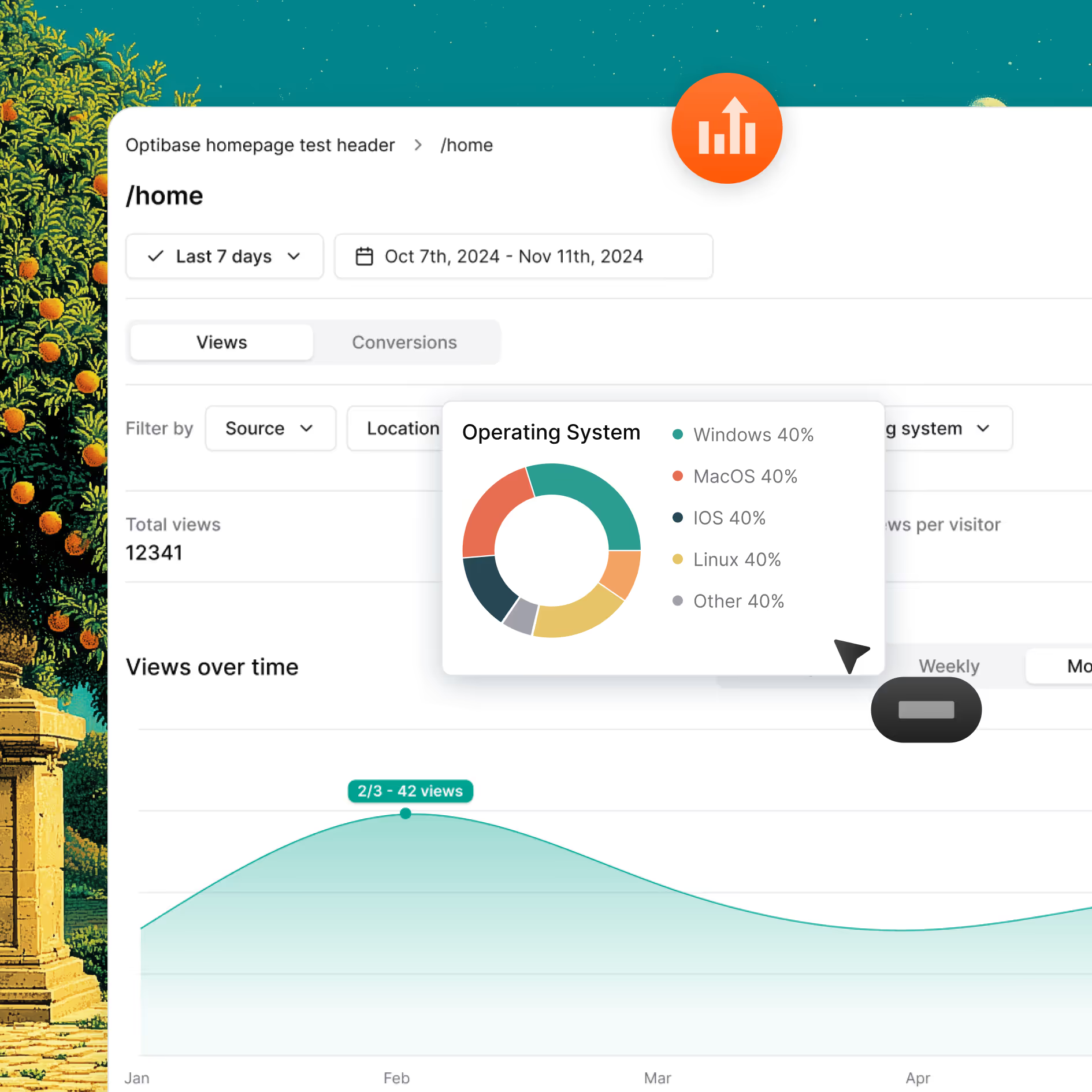
Launch A/B, split URL, or multivariate tests on your site. Optibase analytics automatically tracks how each variant performs using the same conversion goals. You do not need to set up separate tracking for every test. Results stay consistent, fair, and easy to compare as data comes in.

View analytics and results

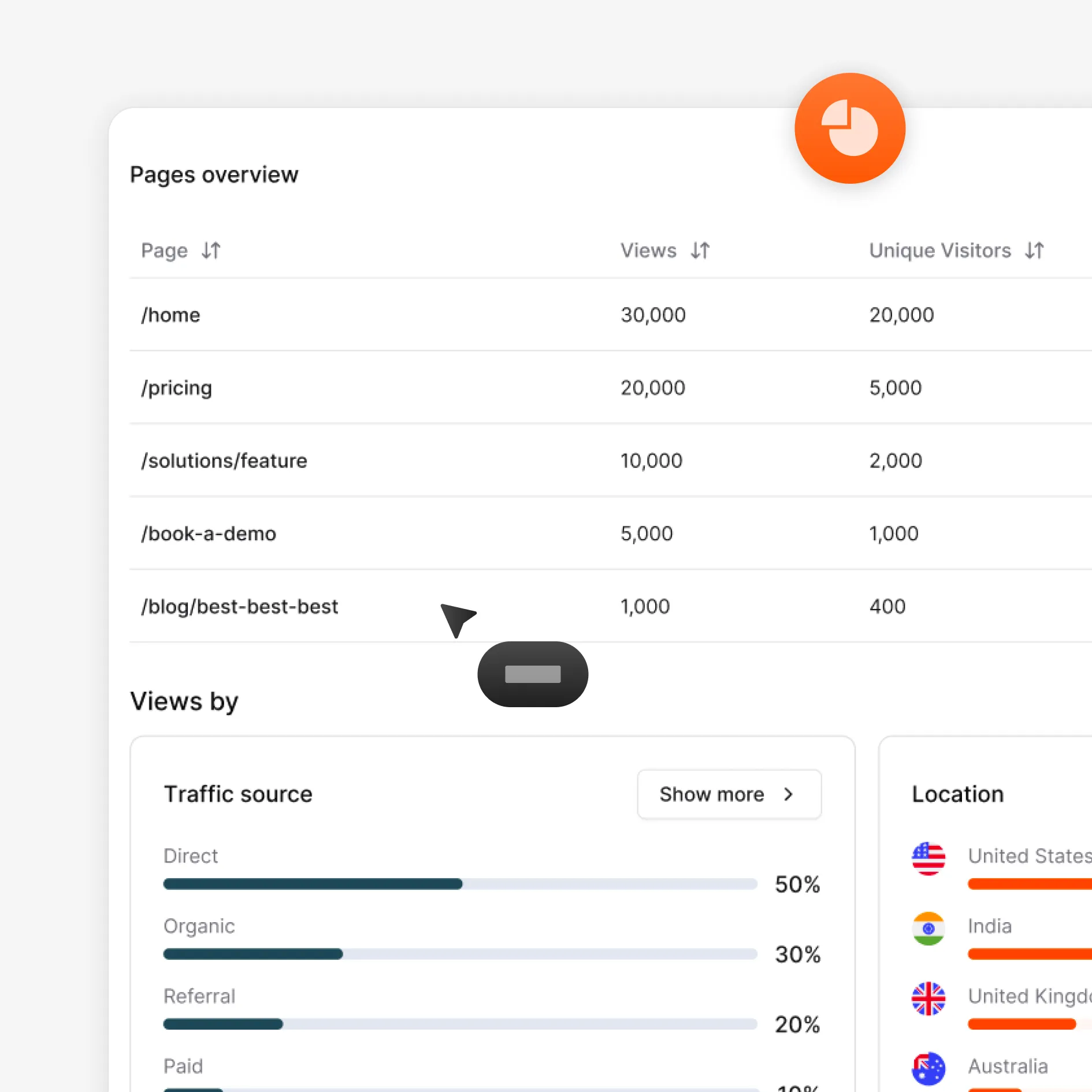
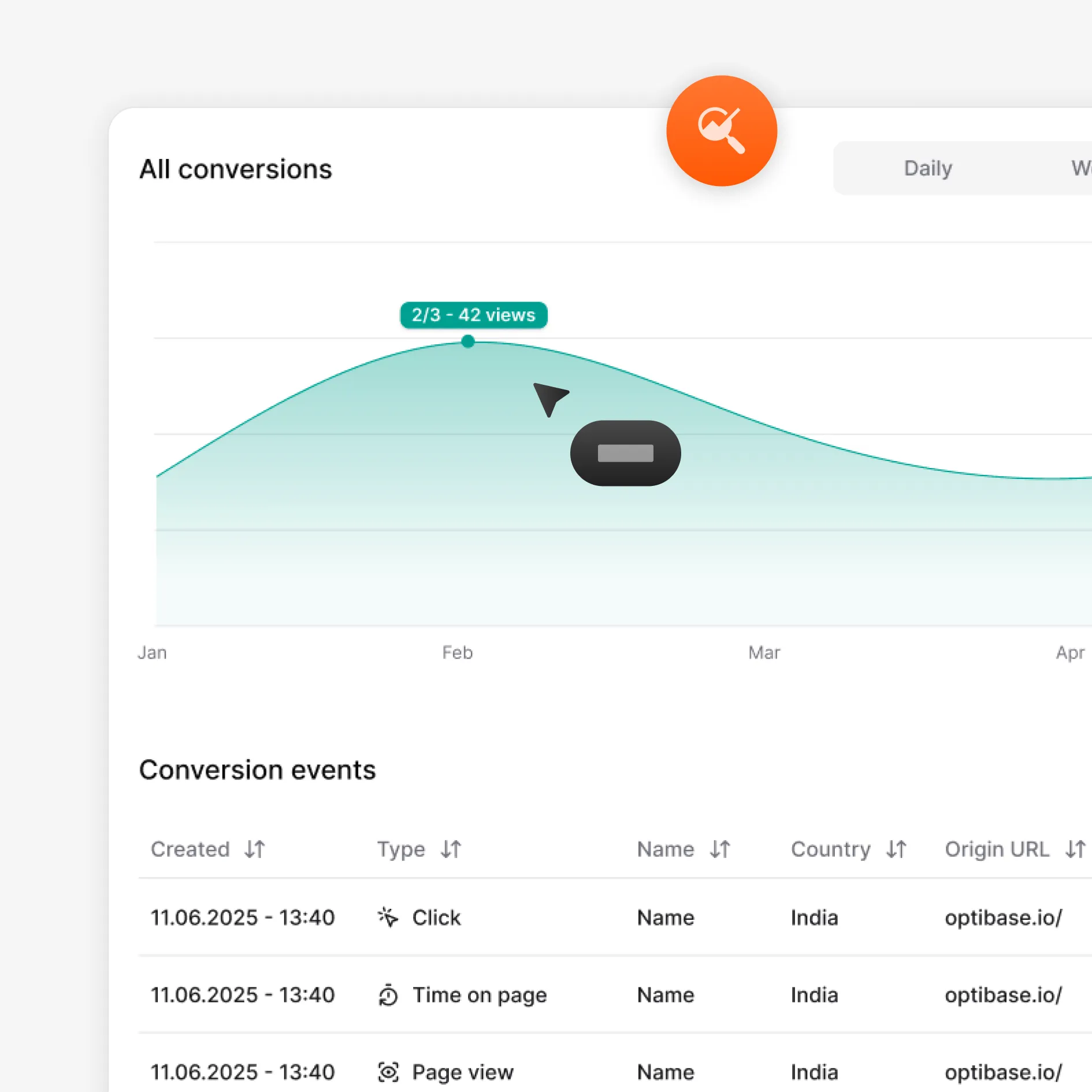
See analytics update as users interact with your site. View basic traffic insights like page views, locations, and devices, alongside experiment results. Compare variants, spot winners, and understand performance in one place, without switching tools or digging through complex reports.

Share or export data

Send analytics and experiment results to the tools your team already uses. Connect GA4, Mixpanel, HubSpot, or use the API to export data anywhere you need it. Keep Optibase as your source of truth for testing, while syncing results with your wider analytics and reporting stack.
Built for growth

More than just testing

AI traffic split

AI helps send more visitors to the version that works better, so your test reaches a clear winner faster without extra work.

Auto-stop tests

Set rules and let Optibase stop the test for you. When a version wins or a goal is reached, the test ends and you get clear results.

Audience segmentation

By segmenting your audience based on their geolocation, browser, OS and screen size, you can limit who is exposed to your tests.

Personalization

Show different content based on who visits your site. Tailor pages by audience, behavior, or context to improve relevance and conversions.

Heatmaps

See where users click, scroll, and focus. Heatmaps help you understand behavior so you know what to test and what to improve next.

User recordings

Watch real sessions to see how people use your site. Spot friction, confusion, and missed clicks that numbers alone can’t show.
FAQ

Frequently asked questions

What is analytics in Optibase?
Analytics in Optibase gives you both baseline site insights and experiment results in one place. You can view general analytics like page views, traffic trends, locations, and devices, while also tracking how A/B, split URL, and multivariate tests perform. It’s designed to support better testing decisions, not replace full analytics platforms.
Is Optibase an analytics replacement or an add-on?
Optibase is an add-on to your existing analytics tools, not a replacement. It provides baseline analytics and clear experiment results, while tools like GA4 or Mixpanel handle deeper site analysis. Optibase works alongside them to help you make better testing and optimization decisions.
Can I see analytics for split URL and multivariate tests?
Yes. Optibase analytics works with split URL and multivariate tests as well. You can see how each page or combination performs using the same conversion goals. This makes it easy to compare results, spot winners, and understand performance across different test types in one place.
Does Optibase provide general website analytics?
Yes. Optibase includes basic website analytics to give you helpful context. You can see page views, traffic trends, locations, and device types without extra setup. These insights support better testing decisions, while deeper analysis can still live in tools like GA4 or Mixpanel.
How is Optibase analytics different from GA4?
Optibase analytics is built for testing decisions, while GA4 is built for general site analysis. Optibase focuses on comparing variants, tracking conversions, and showing clear winners for experiments. GA4 offers deeper site-wide data, but it is not designed to measure A/B, split URL, or multivariate tests in a simple, decision-ready way.
How does analytics work for A/B testing?
For A/B testing, Optibase analytics tracks how each version performs using the same conversion goals. It shows clear comparisons between variants so you can see which one performs better. Results update as users interact with your site, helping you spot winners and make decisions with confidence.
Can I trust Optibase analytics data?
Yes. Optibase analytics measures every variant using the same conversion goals and rules. There is no sampling or hidden filters that change results. This keeps data consistent and fair, so you can trust what you see and make decisions without second guessing the numbers.
Does Optibase integrate with GA4 and other tools?
Yes. Optibase integrates with tools like GA4, Mixpanel, and HubSpot. You can also use the API to send analytics and experiment data anywhere you need. This lets you keep Optibase as your testing source of truth while syncing results with your existing analytics stack.