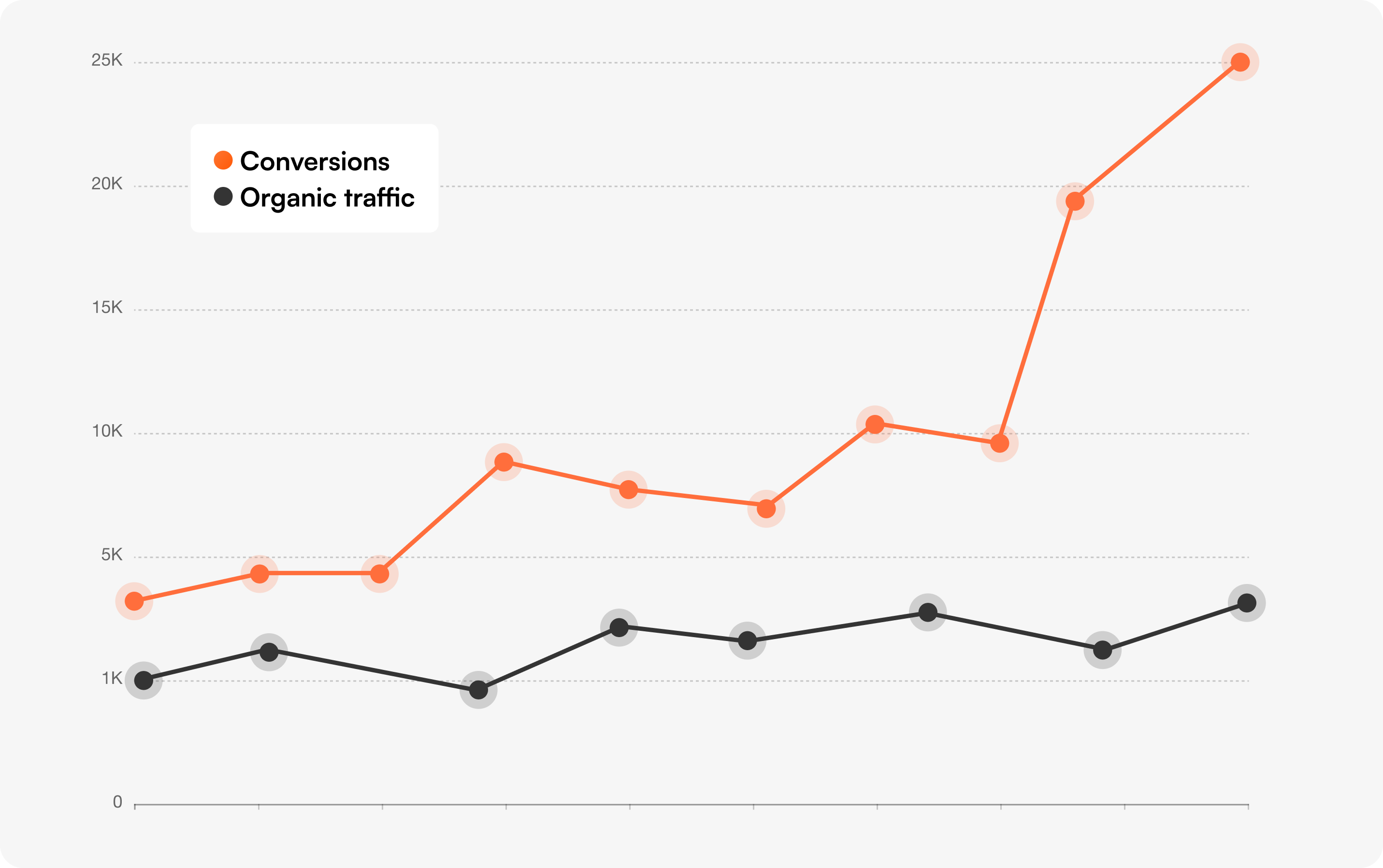
Every marketer running A/B tests has the same nagging worry: "Will this hurt my SEO?"
It's a fair question. You've spent years (and thousands of dollars) earning your organic rankings. The last thing you want is to test a new homepage variation and watch your traffic drop the next month.
The good news: A/B testing does not hurt your SEO when it's done correctly. Google publishes official guidelines for testing, and millions of sites — including some of the most-ranked pages on the internet — run experiments every day without losing rankings.
The bad news: A/B testing can hurt your SEO if it's done wrong. Cloaking, permanent redirects, duplicate content, and slow-loading test scripts have all gotten sites penalized or pushed down in rankings.
This guide covers everything you need to know about A/B testing and SEO — written for marketers, founders, and CRO leads who want to run experiments confidently without putting their organic traffic at risk.
What you'll walk away with:
No, A/B testing does not hurt your SEO when it's set up correctly. Google explicitly supports A/B testing in its official documentation and confirms that "small changes, such as the size, color, or placement of a button or image, or the text of your call to action... often have little or no impact on that page's search result snippet or ranking." (Google Search Central)
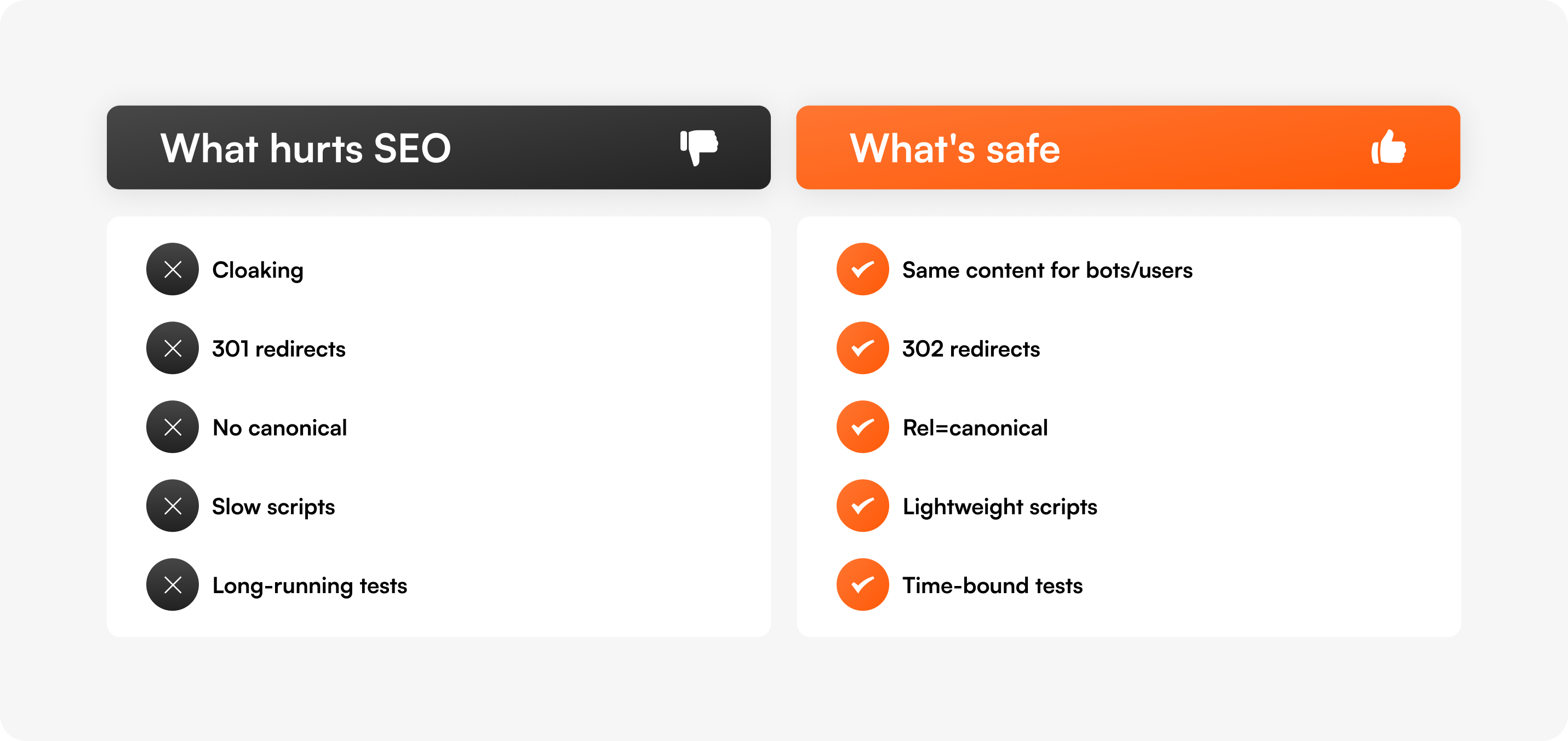
Tests can hurt SEO when they violate Google's guidelines — most commonly through cloaking (showing different content to bots vs. users), permanent redirects to test variants, duplicate content without canonical tags, or test scripts that slow page load times below Core Web Vitals thresholds.
The fix is not to avoid testing. The fix is to use a testing setup that handles these technical details for you.
Before going further, it's important to separate two activities that get lumped together:
Most prospects who ask "will A/B testing affect my SEO?" are talking about CRO testing — they're worried that running conversion experiments will tank their organic rankings.
Most articles ranking for "A/B testing SEO" are about SEO testing — they explain how to use experimentation to improve organic performance.
We'll cover both in this guide, because both matter. But the question you probably came here to answer is the first one: can I run CRO experiments without breaking my SEO? The answer is yes — and the next sections show you how.
Google has a dedicated documentation page titled "A/B Testing Best Practices for Search." The headline takeaway:
"Small changes, such as the size, color, or placement of a button or image, or the text of your 'call to action'... can have a surprising impact on users' interactions with your page, but often have little or no impact on that page's search result snippet or ranking."
— Google Search Central
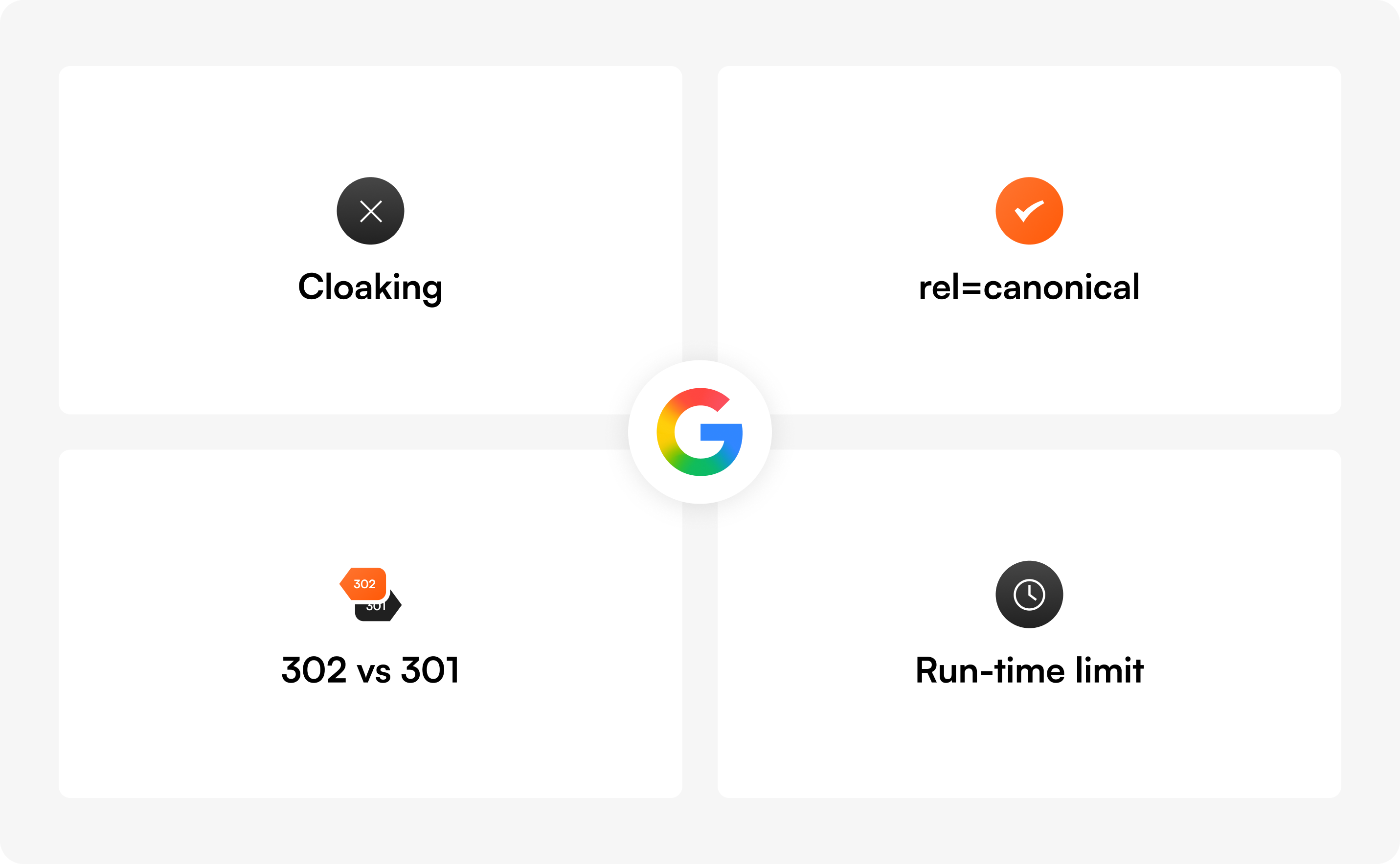
Google then lays out four explicit rules for testing without harming search performance:
Showing one version of a page to Googlebot and a different version to human visitors is called cloaking, and it violates Google's spam policies — whether you're testing or not. Penalties can range from ranking demotions to full removal from the index.
This rule is the single biggest reason to choose a testing tool that handles cloaking correctly. Server-side and client-side testing setups that route bots and users to the same content variant are safe. Setups that detect Googlebot and serve it the original page are not.
rel="canonical" on alternate URLsIf your test uses different URLs for each variant (a setup called split URL testing), each variant page should have a rel="canonical" link pointing back to the original URL. This tells Google: "These are variations of the same page — index the original."
Google specifically recommends rel="canonical" over noindex because it preserves the original page in search results while consolidating ranking signals.
If you redirect users from your original URL to a variant URL, use a 302 redirect. This signals to Google that the redirect is temporary and that the original URL should stay in the index.
A 301 redirect tells Google the original page has permanently moved, which can cause Google to swap the ranking URL for your test variant — exactly what you don't want.
Google explicitly warns: "If we discover a site running an experiment for an unnecessarily long time, we may interpret this as an attempt to deceive search engines and take action accordingly."
Translation: stop tests when they reach statistical significance. Use a sample size calculator and a duration calculator to plan tests that run for a defined window — not indefinitely.
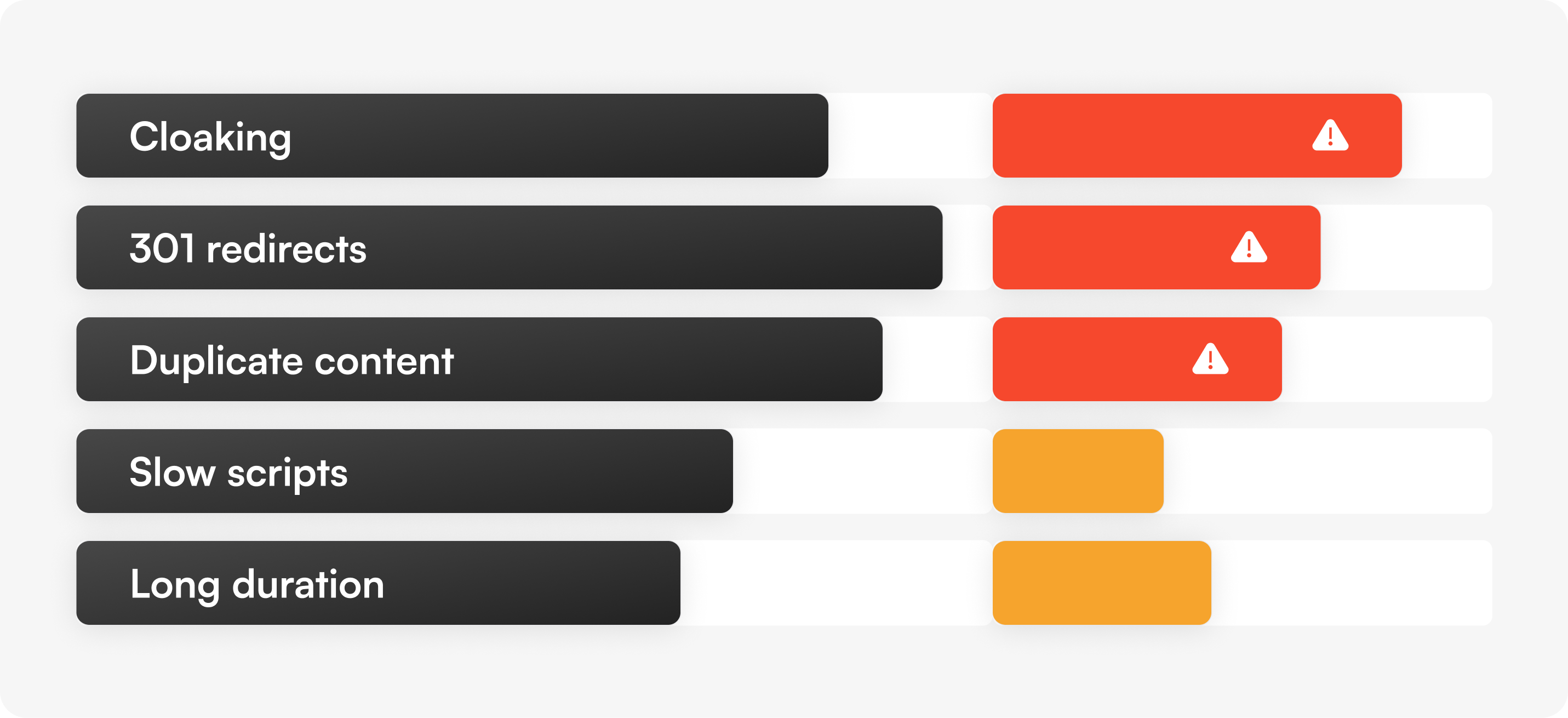
Most "A/B testing hurt my rankings" stories trace back to one of these five mistakes. Here's what each one looks like and how to avoid it.
What it is: Detecting Googlebot and serving it the original version of a page while showing real users a test variant.
Why people do it: They think hiding tests from Google will protect their rankings. It does the opposite.
Why it hurts SEO: Cloaking violates Google's spam policies and can result in manual penalties. Google has been clear: "Infringing our spam policies can get your site demoted or removed from Google search results."
How to prevent it: Use a testing tool that serves the same variant content to bots and humans. Both server-side and client-side rendering can be safe — what matters is that you're not branching logic based on user agent. With Optibase, test variants render the same way for everyone, including search engine crawlers.
What it is: Using a 301 redirect to send a portion of users from /pricing to /pricing-variant-b during a split URL test.
Why people do it: They forget to specify the redirect type and 301 is the default in many CMS setups.
Why it hurts SEO: Google interprets 301s as "this page has permanently moved." Your ranking URL gets swapped for the test variant, and ranking signals (links, authority) start migrating to the variant URL. When the test ends, you have to undo all of this — and recovery isn't always clean.
How to prevent it: Always use 302 (temporary) redirects for split URL tests. JavaScript-based redirects work too, per Google's documentation. Optibase's split URL testing handles this automatically.
What it is: Running a test with multiple variant URLs (e.g., /landing, /landing-v2, /landing-v3) without telling Google which is the original.
Why people do it: They don't realize Google needs an explicit signal to consolidate ranking authority across the variants.
Why it hurts SEO: Google may treat the variants as competing pages, splitting ranking signals across all of them. The original URL can lose visibility while none of the variants build enough authority to rank on their own.
How to prevent it: Add <link rel="canonical" href="https://yoursite.com/landing"> to every variant page. This tells Google: "Index the original — the rest are duplicates for testing purposes." This is also a baseline requirement Google calls out by name in its A/B testing documentation.
What it is: Test scripts that load synchronously, block page rendering, or cause visible "flicker" as variants swap in.
Why people do it: Many older A/B testing tools were built before Core Web Vitals existed. Their scripts add 200-500ms+ to page load times.
Why it hurts SEO: Page experience signals (Largest Contentful Paint, Cumulative Layout Shift, Interaction to Next Paint) directly influence rankings. A test script that pushes your LCP from 2.4s to 3.1s can drop you out of "Good" thresholds and damage rankings on speed-sensitive queries.
How to prevent it: Use a testing platform with anti-flicker handling and asynchronous script loading. Lightweight scripts matter — see our guide on how to A/B test without slowing your site down for the technical detail. Audit any tool's script weight before installing it sitewide.
What it is: Letting an A/B test run for months "to be sure" or because you forgot to turn it off.
Why people do it: Lack of statistical literacy, or treating A/B tests as permanent personalization layers.
Why it hurts SEO: Google has stated explicitly that long-running tests may be interpreted as an attempt to deceive search engines — particularly when one variant is being shown to a large percentage of users. This can trigger manual review.
How to prevent it: Calculate test duration before launching using a sample size calculator. Set a planned end date. Use auto-stop features (most modern testing tools, including Optibase, can stop tests automatically when statistical significance is reached). For deeper context on planning test duration, see our guide on common A/B testing mistakes.
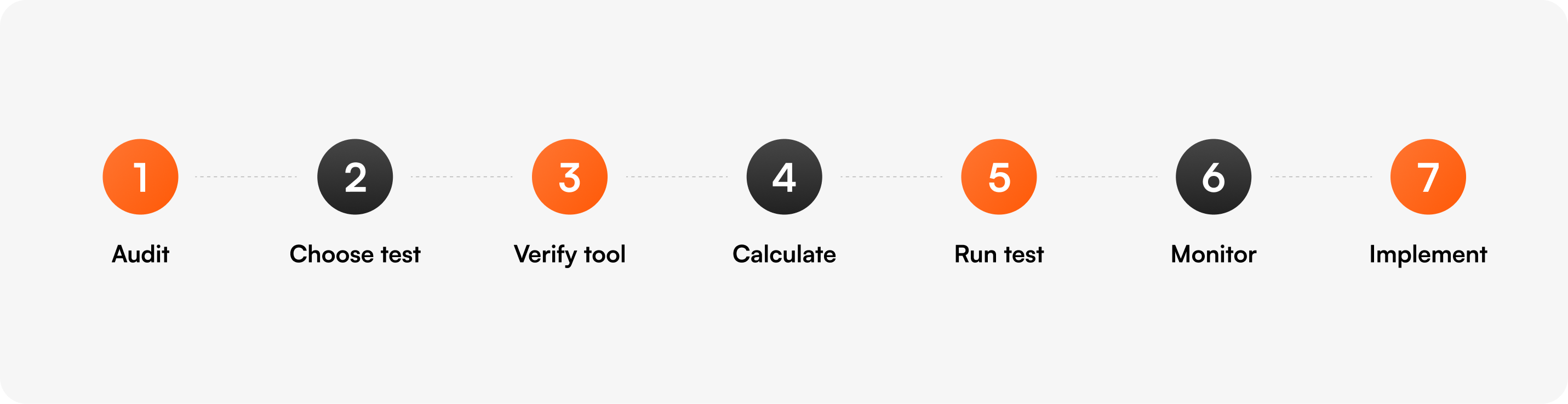
Here's the framework we use internally and recommend to every Optibase customer running tests on pages with organic traffic.
Before testing any page that gets organic traffic, document its baseline:
This baseline is what you'll compare against if you suspect SEO impact later.
Not every page needs the same test type:
Before running the test, confirm your platform:
rel="canonical" automatically on variant URLsIf your current tool doesn't meet all five, that's a red flag.
Use a sample size calculator to determine how many visitors each variant needs. Use a duration calculator to estimate how long the test will run based on your traffic.
Set this as a hard end date. Don't let tests linger.
This is the most important rule for high-traffic SEO pages. If a blog post ranks #2 for a high-volume keyword, don't run an A/B test that swaps the H1 or the first 200 words. You can safely test:
Avoid testing on these high-organic pages:
While the test runs, keep an eye on:
Most tests of CTAs, buttons, and visual elements show no measurable SEO impact. If you do see drops, pause the test and audit your setup against the 5 risks above.
When the test ends:
This is also covered in our ultimate guide to A/B testing for end-to-end methodology.
So far we've focused on protecting SEO during CRO tests. But you can also use A/B testing to improve organic performance. This is a discipline called SEO A/B testing (or SEO split testing), and it works fundamentally differently from conversion testing.
The core difference: SEO tests randomize by page, not by user. You take a group of similar pages (say, 200 product pages with the same template), apply a change to half of them, and measure the difference in organic performance over time.
This is the only way to test SEO changes statistically because you can't show different title tags to different users — Googlebot only sees one version of any URL.
SEO testing requires tools that work at the page-bucket level — not visitor-level CRO platforms. Common options include SearchPilot, SEOTesting.com, and seoClarity. These are different from CRO tools like Optibase, VWO, or Optimizely. Many sites run both: a CRO platform for conversion tests and an SEO testing platform for organic experiments.
For more on the SEO testing approach specifically, see our article on SEO split testing for Webflow content.
A lot of bad advice circulates on this topic. Here are the most common myths.
Google has stated multiple times: there is no "duplicate content penalty." Variants used during a properly configured test (with rel="canonical" tags) are understood as part of the testing process and don't trigger penalties. Real duplicate content issues come from scraped content, content syndication without canonicals, or accidental URL parameter duplication — not A/B tests.
Googlebot renders JavaScript. As long as both variants serve the same content to bots and users (no cloaking), client-side testing is safe. Google has explicitly addressed this in its A/B testing documentation.
This is actually counterproductive. Google's official recommendation is rel="canonical" over noindex. Using noindex can cause "unexpected bad effects" because it removes pages from the index entirely rather than consolidating ranking signals to the original.
Real ranking impact from testing is rare and slow. The vast majority of CRO tests (button colors, CTA copy, hero variations) have no measurable SEO impact at all. When SEO does drop during a test, it's almost always traceable to one of the 5 risks above (cloaking, 301s, missing canonicals, slow scripts, runaway test duration) — not testing itself.
Personalization (showing different content based on user attributes like geolocation, traffic source, or returning visitor status) is allowed when applied consistently to all users matching that segment — including search engine crawlers, who get the default version. This is different from cloaking, which specifically detects and serves different content to bots vs. humans. Optibase's personalization features are designed to be SEO-safe by default.
Different platforms have different testing setups. Here's how to think about SEO safety on each.
Webflow sites are typically tested with either Webflow's native Optimize feature or a third-party tool like Optibase. Both can be SEO-safe when configured correctly. The biggest watch-outs on Webflow:
For Webflow-specific test setup, see our Webflow A/B testing guide.
WordPress has the most testing tools available, but also the most legacy code that can introduce SEO risk. Key things to check:
See our WordPress A/B testing guide for setup details.
At enterprise scale (1M+ monthly visitors, hundreds of templated pages), testing setup gets more complex. You'll likely want:
For enterprise-level testing, see our enterprise A/B testing overview.
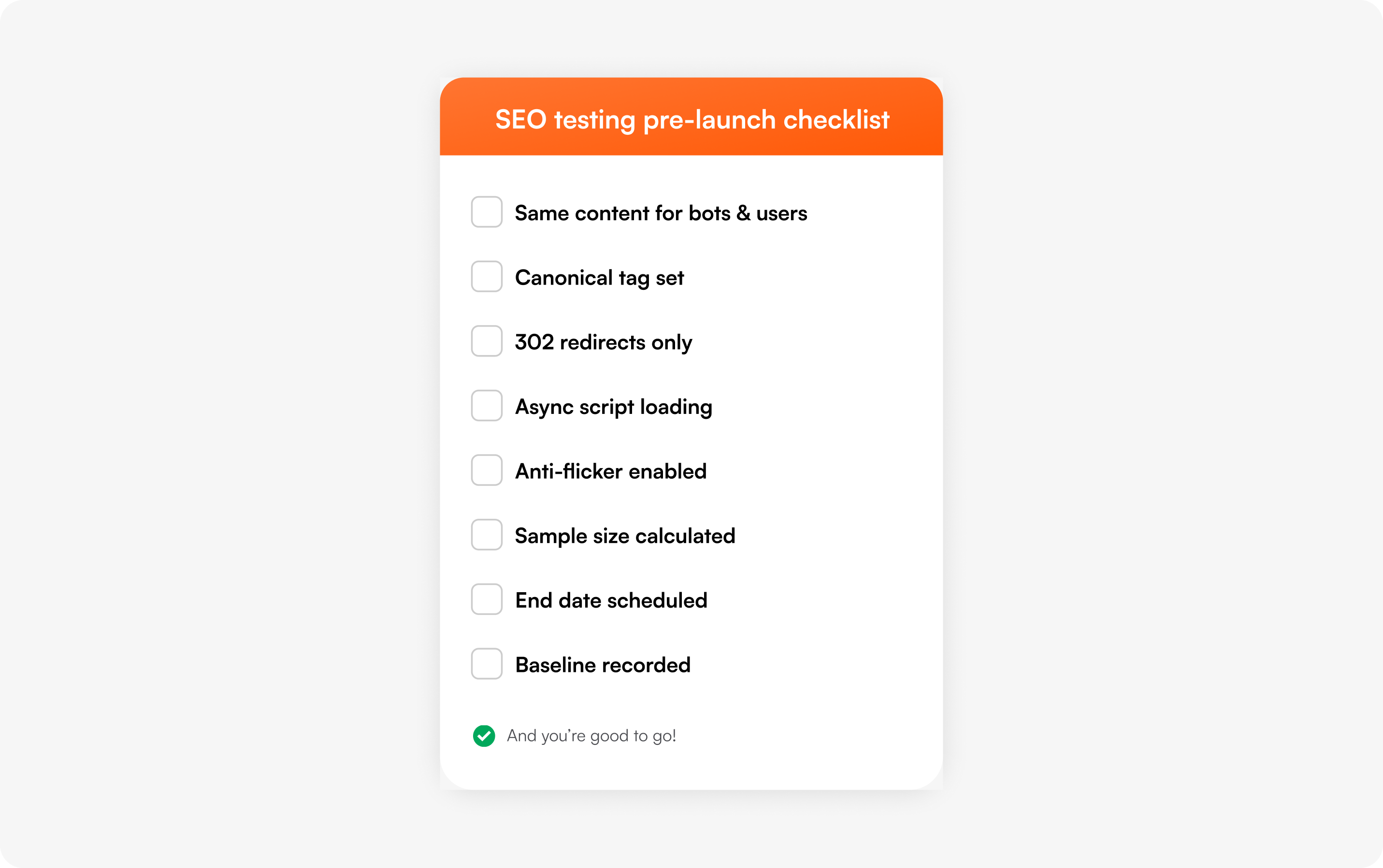
Before launching any A/B test on a page with organic traffic, work through this list:
The reality is that most modern testing tools handle the SEO basics correctly. The differences come down to script weight, anti-flicker handling, and how the tool defaults behave.
For CRO testing on Webflow and WordPress sites, Optibase handles all of Google's recommended best practices by default:
For SEO-specific page-bucket testing, you'll want a dedicated tool like SearchPilot, SEOTesting, or seoClarity that handles per-page randomization rather than per-visitor.
For the broader landscape of testing tools, see our breakdown of the best A/B testing platforms and how to choose between them.
A common question on demo calls is: "Show me a customer who's been running tests and didn't lose rankings." Here are three examples from Optibase customers:
The pattern is consistent: when tests focus on conversion-driving elements (CTAs, buttons, layouts) and the testing tool is configured correctly, SEO is unaffected.
rel="canonical", use 302 redirects for variants, and stop tests when they reach significance.
A/B testing does not affect SEO when configured according to Google's published best practices. Tests can affect SEO when they involve cloaking, permanent (301) redirects to test variants, missing canonical tags on variant URLs, slow-loading test scripts that damage Core Web Vitals, or experiments that run for excessively long periods. All of these are preventable with proper setup.
A/B testing in SEO refers to two different things. (1) CRO A/B testing on SEO-ranked pages — running conversion tests on pages that earn organic traffic, with care to not damage existing rankings. (2) SEO A/B testing — a specific testing methodology where you split a group of similar pages into control and variant buckets, apply an SEO change (like a new title tag pattern) to the variant group, and measure differences in organic search performance over time.
Yes — when used as SEO A/B testing (page-bucket randomization, not visitor-level), A/B testing can directly improve organic performance. Common SEO A/B test wins include title tag patterns that improve CTR, meta description rewrites, internal linking changes, schema markup additions, and content length adjustments on thin pages. Indirect improvements happen when conversion tests improve on-page engagement signals (time on page, scroll depth, lower bounce) that Google interprets as quality signals.
Yes, but be selective about what you test. Safe elements include CTAs, buttons, hero imagery, social proof placements, and visual styling. Avoid testing your title tag, H1, or the first paragraph of body content on a well-ranking homepage — these are signals Google uses to understand and rank the page. Document baseline rankings before launching and monitor Google Search Console during the test.
Google does not penalize sites for running A/B tests. Google may penalize sites for cloaking (showing different content to Googlebot vs. users), which is sometimes confused with testing. Google may also take action on tests that run for "an unnecessarily long time," particularly when one variant is shown to a large percentage of users — they consider this a deception attempt. Time-bound tests with auto-stop at significance are safe.
For most purposes, split testing and A/B testing are used interchangeably. The technical distinction: an A/B test typically tests changes within the same URL (different variants rendered on /pricing), while a split URL test tests entirely different URLs (/pricing-a vs /pricing-b). For SEO purposes, split URL tests require more careful canonical and redirect handling than same-URL A/B tests. See our split URL testing guide for setup details.
Often yes. CRO testing tools (Optibase, VWO, Optimizely, AB Tasty, Webflow Optimize) randomize at the visitor level — perfect for conversion experiments. SEO testing tools (SearchPilot, SEOTesting, seoClarity) randomize at the page level — necessary for organic performance experiments. Many enterprise teams run both. Smaller teams typically start with a CRO tool and add SEO testing only when their organic strategy matures.
Calculate test duration in advance using a sample size calculator and a duration calculator. Most CRO tests should run 2-4 weeks to capture full weekly cycles. SEO tests should run 4-8 weeks to allow for crawl, index, and ranking impact. Stop tests as soon as statistical significance is reached — not earlier (false positives) and not later (Google's "unnecessarily long" warning kicks in).
The fear that A/B testing will hurt your SEO is real, but mostly outdated. The tools and techniques that protect rankings during testing have matured significantly. Most of the horror stories you've heard come from setups that violated specific, documented guidelines — not from testing itself.
If you've been holding back on running experiments because of SEO concerns, this is your sign to start. Use the framework in this guide. Run the pre-launch checklist before every test. Pick a tool that handles the SEO basics by default.
If you want a CRO platform that's SEO-safe out of the box, Optibase handles cloaking, redirects, canonicals, and Core Web Vitals automatically — built for Webflow and WordPress sites that care about both conversions and organic traffic. You can start free (no credit card required) or book a demo if you want a walk-through with our team.
The pages you've spent years ranking for deserve protection. The conversions you're leaving on the table also deserve attention. With the right setup, you don't have to choose.