
.avif)
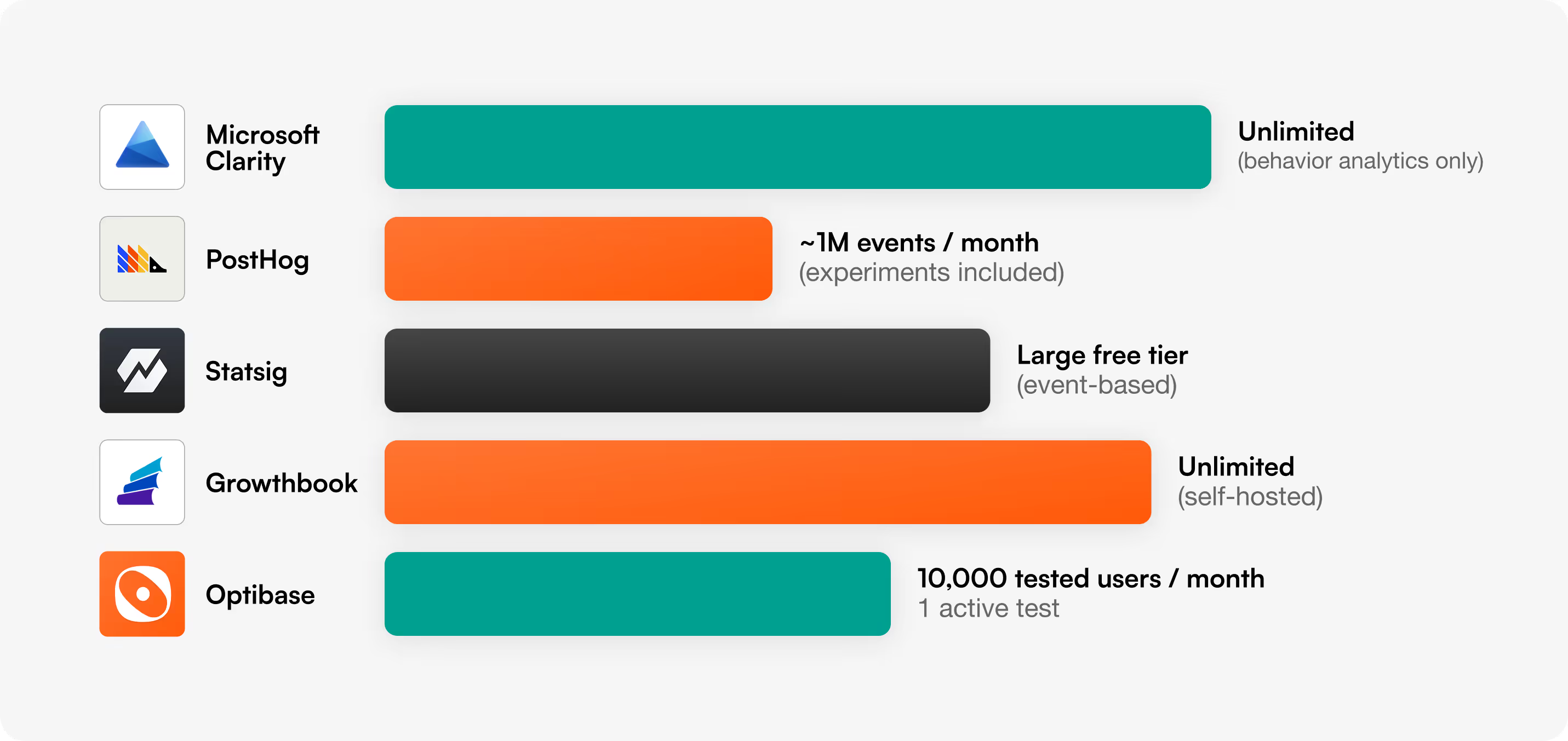
For marketers and no-code teams, Optibase is the best free A/B testing tool because it includes a visual editor, heatmaps, and session recordings on its free plan with no developer setup. For engineering-led teams, PostHog, GrowthBook, and Statsig offer the most generous free experimentation. Microsoft Clarity is free but does not run A/B tests.
The honest headline: these tools do not compete for the same job. Optibase is built for marketers who edit the page and want a winner. PostHog, GrowthBook, and Statsig are built for product teams who ship experiments in code. Clarity is a free behavior-analytics tool that people keep mislabeling as A/B testing.
We did not pull this list from a category page. We set up each tool and looked at what the free plan actually lets you do. Our criteria:
If you want the deeper paid-tier breakdown, see our full roundup of the best A/B testing platforms and our guide to choosing an A/B testing platform.
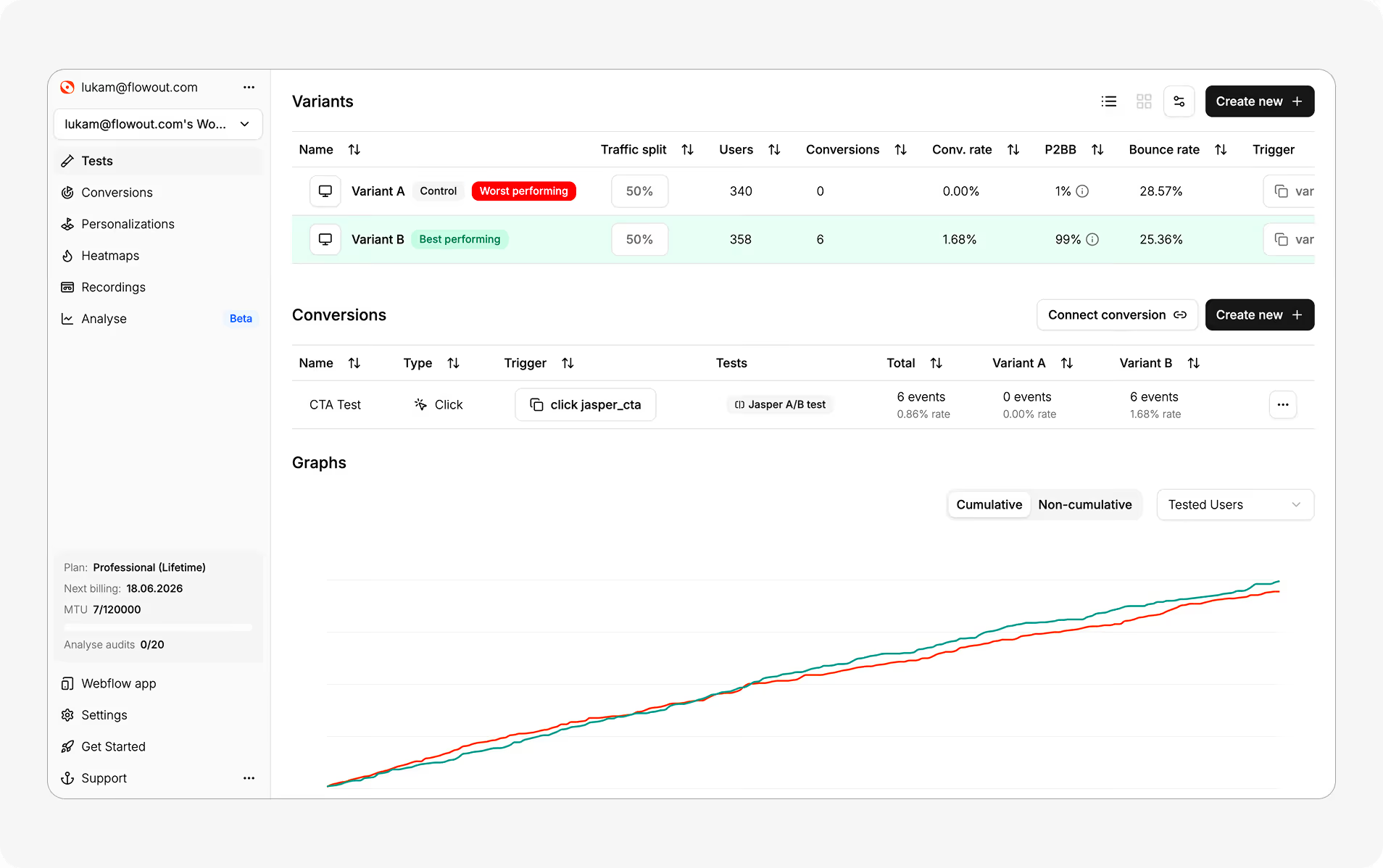
Free plan: $0, up to 10,000 tested users per month, 1 active test, visual editor, plus heatmaps and session recordings. No credit card.
Optibase is the pick if you want to run a test today without involving an engineer. You point and click to edit a headline, CTA, image, or layout, set a goal, and launch. Results use a Bayesian engine (Probability to Be Best) so you get a clear "which variant is winning" answer instead of a p-value you have to interpret.
Where Optibase wins (we will be specific):
Where Optibase does not win (honestly):
Optibase is the strongest free option for the large group of people who keep getting pushed toward developer tools they cannot use: founders, growth marketers, and agencies running sites on Webflow or WordPress.
Free plan: Generous monthly event allowance (~1M events) with experiments, feature flags, and product analytics included.
PostHog is an all-in-one product analytics platform with experimentation built in. The free tier is genuinely useful and open-source-friendly. If you have engineers and you instrument events anyway, running experiments on top of that data is a natural fit.
The honest caveat: PostHog is developer-first. Experiments run through feature flags and SDKs, so you are writing code to assign variants. There is no marketer-friendly visual editor for editing a page. If nobody on your team writes code, this is the wrong tool.
Free plan: Open-source and free to self-host with no usage caps; a hosted cloud free tier is also available.
GrowthBook is the choice when "free" needs to mean "free at any scale" and you control the infrastructure. It connects to your data warehouse, supports feature flags, and has a visual editor option, though most teams drive it through SDKs.
The honest caveat: self-hosting and warehouse setup is real engineering work. GrowthBook is excellent for data-mature teams and overkill for someone who just wants to test two homepage headlines on a Webflow site.
Free plan: Large event-based free allowance covering experiments, feature flags, and analytics.
Statsig is built for teams shipping many experiments quickly. Its free tier is one of the most generous on this list by raw volume, and its sequential statistics are strong. Tech startups with a product-experimentation culture get a lot of value here.
The honest caveat: like PostHog, Statsig is SDK-driven and developer-oriented. It is not designed for a marketing team editing landing pages without engineering support.
Free plan: 100% free, unlimited, forever.
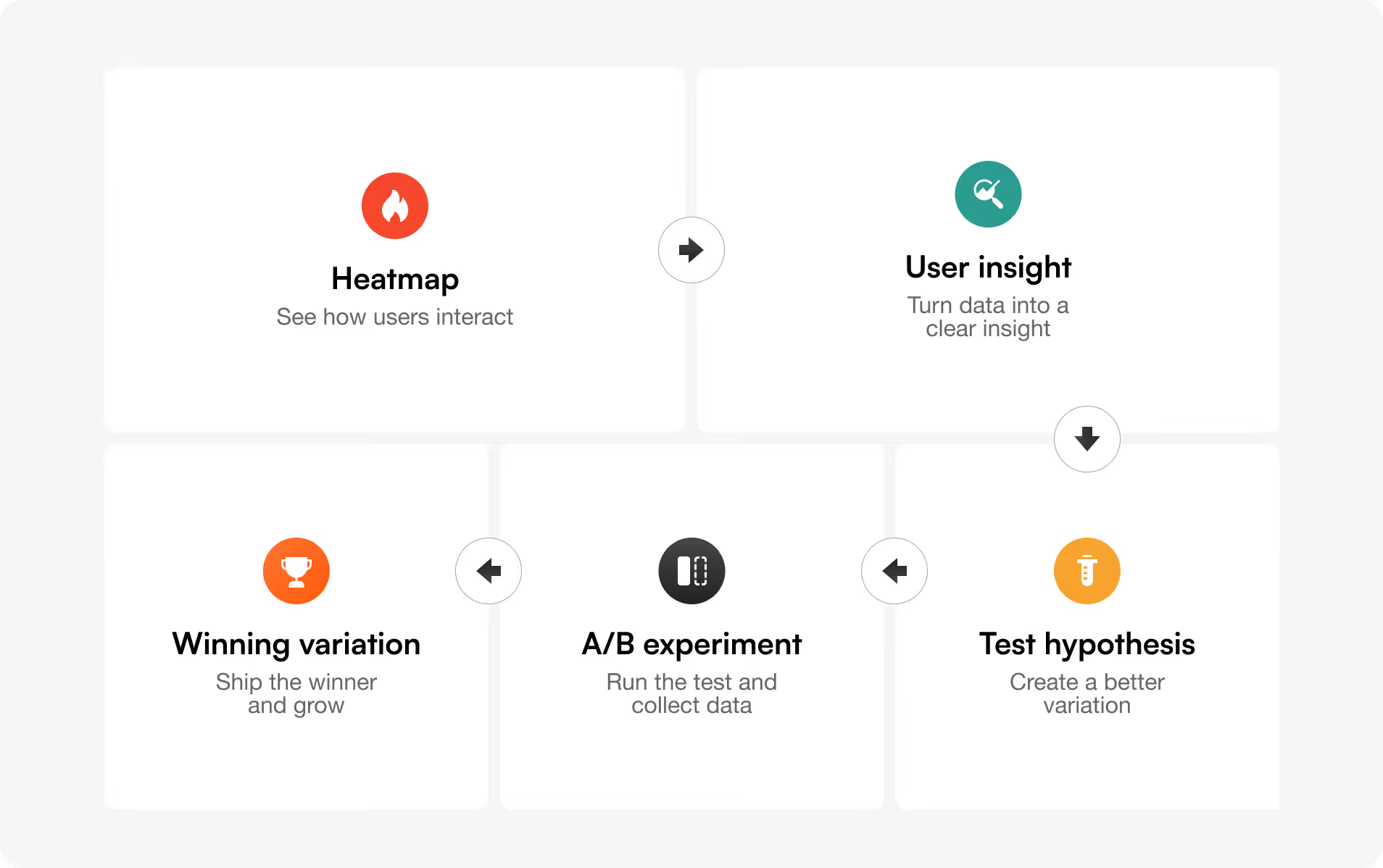
Microsoft Clarity keeps showing up on "free A/B testing" lists, so it is worth being clear: Clarity does not run A/B tests. It is a free heatmap and session-recording tool. It is excellent at showing you why a page underperforms, which is the perfect input for a test, but you cannot create variants or measure a winner in it.
Use Clarity (or Optibase's built-in heatmaps) to find the problem, then use an actual A/B testing tool to fix it. Pairing behavior analytics with experimentation is one of the highest-leverage CRO habits, and it is the reason Optibase bundles both.
If you search this topic, two more no-code free tools come up often, and it is worth being straight about how they compare to Optibase, because this is the category where the real choice happens.
PulseCRO offers a genuinely free plan with a visual editor and unlimited experiments, which is rare. The catch is what is not free: heatmaps, funnels, audience targeting, and data exports sit behind its paid plan (around $20/mo). So the free tier runs tests but leaves out the behavioral analytics that tell you why a variant won.
Mida.so has a fast, lightweight script and a free tier that covers a high visitor count. It is a solid no-code option, though it is purely an A/B testing tool without bundled heatmaps or session recordings.
Where Optibase differs from both: heatmaps and session recordings are included on the free plan, not gated behind an upgrade. For a marketer, that matters: you see the click and scroll behavior, spot the friction, and test the fix in one tool. PulseCRO makes you pay for that visibility; Mida.so does not offer it. Optibase is also the only one of the three built natively for Webflow and WordPress.
The honest trade the other way: PulseCRO's free plan allows unlimited concurrent experiments, while Optibase's free plan is capped at one active test. If you want to run many tests at once for $0 and do not need heatmaps, PulseCRO is a fair pick. If you want behavior analytics included and a CMS-native install, Optibase is the stronger free tool.
Every free A/B testing plan trades something away. Knowing which trade you are making saves disappointment later:
This is why the right question is not "which free tool has the highest limit," but "which free tool can my team actually run." A generous free tier you need an engineer to operate is worth less than a smaller free tier your marketer can launch this afternoon. For sizing a test before you start, our A/B test duration calculator helps you see whether your traffic can reach significance at all.
Optibase is the best free A/B testing tool for non-developers. Its free plan includes a visual editor so you can build test variants by editing the live page, plus heatmaps and session recordings, with no code or SDK setup required. It works natively on Webflow and WordPress.
Yes. Optibase offers a free plan (10,000 tested users/mo, one active test). PostHog, GrowthBook, and Statsig all have free experimentation tiers aimed at developers. GrowthBook is open-source and free to self-host without usage caps.
No. Microsoft Clarity is a free heatmap and session-recording tool. It shows how users behave on your pages but cannot create variants or measure which version converts better. Use it alongside an A/B testing tool, not instead of one.
GrowthBook is the best free open-source A/B testing tool. It can be self-hosted with no usage limits, connects to your data warehouse, and supports feature flags and experiments. PostHog is also open-source-friendly with a generous free tier.
Yes. Optibase has a free plan and installs as a native Webflow Designer app, so you can run A/B tests on Webflow without writing code. It also supports split-URL and multivariate testing on paid plans.
Most do. Optibase's free plan covers 10,000 tested users per month; PostHog and Statsig cap monthly events; GrowthBook self-hosted has no cap but requires your own infrastructure. Microsoft Clarity is uncapped because it does not run tests.
If you run a Webflow or WordPress site and you want to launch a real A/B test without waiting on a developer, Optibase is free to start: a visual editor, heatmaps, and session recordings in one tool, with no credit card. When you outgrow one active test, plans start at $69/mo. And if your stack is code-first, PostHog, GrowthBook, or Statsig are the honest free picks. Choose the one your team can actually run, and start learning from real visitors this week.

